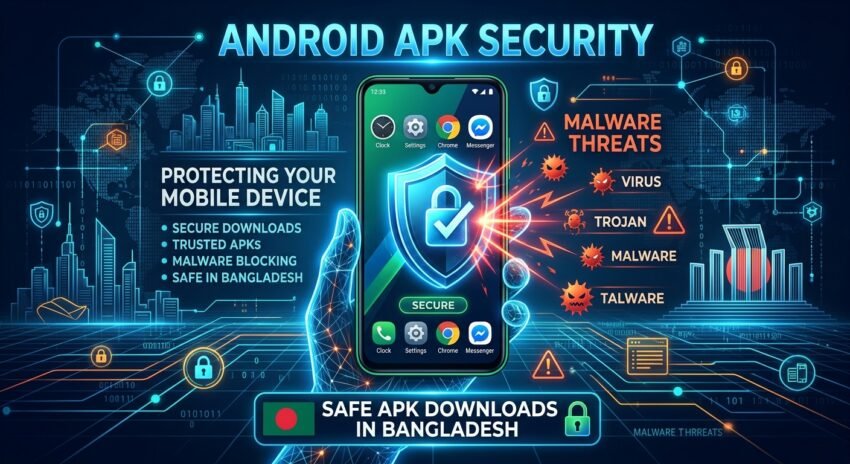
Android smartphones have become an essential part of everyday life in Bangladesh. From mobile banking and online shopping to social media, entertainment, education, and communication, people rely on mobile applications for a wide range of activities. While Google Play Store remains the primary destination for downloading Android applications, many users also install apps through APK files obtained from websites and other sources.
APK downloads offer flexibility, particularly when an application is unavailable in a particular region, cannot be found on the Play Store, or needs to be installed manually. However, downloading applications from unfamiliar websites can expose smartphones to security threats, including malware, data theft, fraudulent applications, and privacy violations.
This makes it increasingly important for mobile users in Bangladesh to understand what they should check before installing an APK file.
An APK file is not automatically dangerous. Many legitimate developers distribute Android applications through their official websites. The problem arises when users download modified, outdated, or fake application packages without verifying their sources.
For users who depend on mobile banking services such as bKash and Nagad, the consequences of installing an unsafe application can be particularly serious. A malicious app could potentially access sensitive information, misuse permissions, or expose personal accounts to fraud.
Whether you are downloading a popular application, a gaming app, or a utility tool, taking a few precautions can help protect your smartphone.
Here are the most important things mobile users in Bangladesh should check before downloading and installing APK files.
What Is an APK File and Why Do People Download It?
APK stands for Android Package Kit. It is the standard file format used to distribute and install applications on Android devices.
When users download an application through Google Play Store, the installation process is generally handled automatically. The store manages the necessary package delivery and updates, making the process relatively straightforward.
However, Android also allows users to install applications manually through APK files.
This process is commonly known as sideloading. It gives users another way to install software when they cannot access an application through the usual app marketplace.
There are several reasons why people in Bangladesh may choose APK downloads:
- An application is unavailable in their country or region.
- They want to install an app directly from its official developer.
- A particular application version is not available through Google Play.
- They need to reinstall an application manually.
- They want to access software distributed outside traditional app stores.
Although these reasons can be legitimate, downloading APK files requires additional attention because users must take greater responsibility for verifying the source and authenticity of the software.
1. Always Check the Original Source of the APK
The first and most important step is checking where the APK file comes from.
Not every website offering APK downloads is trustworthy. Some platforms distribute legitimate applications, while others may host modified packages containing unwanted software or malicious code.
Before downloading an APK, users should visit the official website of the application developer whenever possible.
For example, if you want to install an application from a well-known company, look for its official download page rather than relying on a random website appearing in search results.
Pay attention to the website address. Fake websites sometimes use domain names that look almost identical to legitimate brands.
A small spelling difference or an unfamiliar domain extension could indicate an attempt to imitate an established service.
Users should also avoid downloading APK files from suspicious advertisements, unexpected messages, or unknown social media accounts.
A website offering an application for free does not automatically make that download safe.
Important tip: If an application is available through Google Play Store, using the official listing is generally the safer option.
2. Verify the Developer’s Name and Identity
Another important factor is the identity of the application developer.
Cybercriminals sometimes create fake applications that imitate popular services. These applications may use similar names, icons, colours, and descriptions to make users believe they are downloading legitimate software.
For example, a fraudulent application could imitate a mobile banking service, shopping platform, social media application, or popular game.
Before installing an APK, check whether the developer’s name matches the company responsible for the original application.
Look for information about the developer on its official website and compare it with the details provided on the download page.
If the website does not provide any meaningful information about the developer, that should be a reason to investigate further.
Be particularly careful with applications claiming to offer premium features, unlimited rewards, free subscriptions, or special access to paid services.
Unrealistic promises are frequently used to encourage users to download suspicious software.
3. Review App Permissions Before Installation
App permissions are among the most important security factors Android users should understand.
When installing an application, users may be asked to grant access to different parts of their smartphones, including the camera, microphone, contacts, location, storage, and notifications.
Some permissions are necessary for an application’s normal operation. For example, a navigation application may require location access, while a video-calling application may need permission to use the camera and microphone.
However, problems arise when an application requests access that does not match its actual purpose.
Imagine downloading a simple calculator that asks for permission to read SMS messages, access contacts, or control Accessibility services. Such requests deserve serious attention.
Some sensitive permissions can potentially expose personal information or allow malicious applications to interact with other parts of the device.
Before installing an APK, consider the following:
- Does the application genuinely need access to your location?
- Why does it request permission to read SMS messages?
- Does its main feature require access to contacts?
- Is microphone access necessary?
- Does the application request Accessibility access without a clear explanation?
Never approve permissions simply because an application asks for them.
Users should grant only the access required for the features they actually intend to use.
4. Keep Google Play Protect Enabled
Google Play Protect is an important security feature available on Android devices.
It checks applications for potentially harmful behaviour and can help identify dangerous software, including applications installed from sources outside Google Play.
According to Google’s official documentation, Play Protect scans applications during installation and periodically checks installed apps. It can also warn users about potentially harmful applications and may disable or remove detected threats.
For Bangladesh’s Android users, keeping this feature enabled is a sensible security practice.
To check Google Play Protect:
- Open the Google Play Store.
- Tap your profile icon.
- Select Play Protect.
- Open the settings section.
- Make sure app scanning is enabled.
- Run a security scan when necessary.
Google also recommends keeping Play Protect active rather than disabling it to install unfamiliar applications.
It is important to remember that no security tool can guarantee complete protection. However, Play Protect provides an additional layer of defence against potentially harmful software.
5. Be Careful With Modified and Premium APK Files
Modified APK files are another major concern for Android users.
Some websites advertise modified applications with promises such as unlocked premium features, unlimited coins, free subscriptions, removed advertisements, or access to paid content without payment.
These files are often described as Mod APKs, Premium APKs, or unlocked versions.
Although some modifications may appear attractive, users generally have no reliable way to know exactly what changes have been made to the original application.
A modified package could contain additional code that collects personal information, displays unwanted advertisements, or performs activities without the user’s knowledge.
Gaming applications are a particularly common target for these offers.
For example, websites may advertise modified versions of popular mobile games that promise unlimited currency, special abilities, or unlocked characters.
Such downloads can also violate the game’s terms of service and potentially result in account restrictions or permanent bans.
Users should avoid installing cracked applications and modified packages from unknown sources, especially when the software requests sensitive permissions.
6. Check the APK Version and Update Information
Downloading an APK from a legitimate source is not the only consideration. Users should also check whether the file is current and compatible with their devices.
Outdated applications may contain security weaknesses that have already been addressed in newer releases.
Developers regularly publish updates to fix bugs, improve performance, introduce new features, and address security problems.
Before installing an APK, check:
- The application version number.
- The date of its latest update.
- The Android version required.
- The developer’s release information.
- Whether the file comes from an official distribution channel.
Avoid downloading old versions simply because they are available on a website.
If a developer has stopped supporting an application, users should carefully consider whether continuing to use it is worth the potential security risks.
Another important point is that Android applications should receive updates from a trusted source. Users should not install a random update file just because a pop-up claims their existing application is outdated.
7. Protect bKash, Nagad, and Other Mobile Banking Accounts
Mobile banking security deserves special attention in Bangladesh.
Services such as bKash and Nagad have become important parts of everyday financial activity. People use these platforms to send money, receive payments, pay bills, and complete other transactions.
This convenience also makes financial applications attractive targets for scammers.
A malicious APK could potentially misuse sensitive permissions to access notifications, read information displayed on the screen, or interfere with other activities on a smartphone.
For example, notification access can expose private message content and potentially reveal sensitive authentication information.
Accessibility permissions are also powerful because they can allow applications to observe or interact with elements displayed on the screen.
Users should therefore avoid installing unfamiliar applications that request these permissions without a legitimate reason.
Some important precautions include:
- Download financial applications only from verified official sources.
- Never share your PIN or one-time password with another person.
- Avoid entering banking information into unfamiliar applications.
- Do not install APK files sent by unknown individuals.
- Keep mobile banking applications updated.
- Review transaction notifications regularly.
- Contact the official service provider if you notice suspicious activity.
Bangladesh’s mobile users should remember that a legitimate-looking application is not necessarily a trustworthy one.
Protecting financial accounts starts with controlling what software gets installed on the device.
8. Avoid APK Files Shared Through WhatsApp, Facebook, and SMS
Social media platforms and messaging applications are frequently used to share links and files.
While many shared files are harmless, unexpected APK attachments can present serious security risks.
A person may receive a message claiming to offer a special application, a government service, a banking update, or an exciting mobile game.
The message may include a download link and instructions to install the file immediately.
Scammers often create urgency by claiming that an account will be suspended, a service will stop working, or a special offer will expire.
Users should never install applications simply because a message tells them to do so.
Even when an APK is shared by someone they know, it is worth verifying the original source. A contact’s account could have been compromised, or the sender may have forwarded a suspicious file without checking it.
If an application genuinely needs an update, check the developer’s official website or Google Play Store instead.
9. Check Your Phone’s Security Settings After Installation
Android provides several security and privacy controls that can help users manage installed applications.
One particularly important setting is permission to install unknown applications.
Depending on the Android version and device manufacturer, users may need to grant a browser or file manager permission before installing an APK from outside Google Play.
However, leaving this permission enabled unnecessarily can increase the risk of accidental installations.
After installing a legitimate APK, users should review their settings and disable unnecessary installation permissions.
It is also useful to check which applications have access to sensitive features.
Review the following settings regularly:
- Camera and microphone permissions.
- Location access.
- SMS and notification access.
- Accessibility services.
- Device administrator applications.
- VPN connections.
- Applications allowed to install unknown software.
If an unfamiliar application has access to sensitive device functions, investigate why it needs that access.
Removing unnecessary permissions can reduce the amount of information an application is able to access.
10. Monitor Battery Usage, Data Consumption, and Unusual Activity
Some harmful applications may not show obvious warning signs immediately after installation.
Instead, they may operate in the background and consume mobile data, use battery power, or display unwanted advertisements.
This is why users should occasionally review their smartphone’s performance.
Pay attention to applications that:
- Consume unusually large amounts of mobile data.
- Drain the battery without a clear reason.
- Display advertisements outside their normal interface.
- Open unfamiliar websites automatically.
- Request additional permissions unexpectedly.
- Install other applications without a clear explanation.
- Cause unusual performance problems.
One unusual behaviour does not automatically prove that an application contains malware. However, multiple unexpected changes after installing an APK should encourage users to investigate.
If an application appears suspicious, revoke its unnecessary permissions and uninstall it.
Run Google Play Protect and review your device’s security settings.
If you suspect that passwords or financial details have been exposed, secure affected accounts using a trusted device and contact the relevant service provider.
What Should You Do If You Accidentally Install a Suspicious APK?
Even careful smartphone users can sometimes make mistakes. If you accidentally install an unfamiliar APK, taking action quickly can help reduce potential damage.
Start by reviewing the application’s permissions and uninstalling it if you cannot verify its legitimacy.
If the application has Accessibility or device administrator privileges, you may need to disable those permissions before uninstalling it.
Next, run a Google Play Protect scan and check for other unfamiliar applications.
If you entered banking information, passwords, or authentication details after installing the suspicious app, take additional precautions.
Change affected passwords from a trusted device, contact your bank or mobile financial service provider if financial information may be compromised, and review recent account activity.
For serious cases where the phone continues behaving abnormally, consider getting professional technical assistance. A factory reset may be necessary in some situations, but important personal files should be backed up carefully first.
Simply deleting the APK installation file does not remove an application that has already been installed. Users must uninstall the application itself and investigate any accounts or permissions that may have been affected.
Why APK Safety Awareness Matters for Bangladesh
Smartphone usage continues to play an important role in communication, entertainment, shopping, education, and financial services across Bangladesh.
As more everyday activities move to mobile platforms, protecting personal information becomes increasingly important.
An unsafe application can create problems beyond a single smartphone. If malicious software gains access to sensitive information, it could potentially affect financial accounts, personal communications, and online identities.
Local cybercrime warnings have also highlighted the risks associated with unfamiliar applications and unnecessary device permissions.
In May 2026, Chattogram District Police warned about mobile phone hacking and fraud, specifically highlighting the dangers of installing unverified APK files and enabling unknown-app installation settings. The advisory also emphasized protecting sensitive information associated with services such as bKash and Nagad.
This reinforces the importance of basic mobile security awareness.
Users do not need to avoid every application distributed outside Google Play. Instead, they should understand the risks, verify the publisher, review permissions, and use available security protections.
A few minutes of checking before installation could prevent much bigger problems later.
Final Thoughts
APK downloads in Bangladesh provide Android users with additional flexibility, but installing applications from outside official app stores requires careful consideration.
Before downloading an APK, always verify its source, check the developer’s identity, review requested permissions, and make sure the application is compatible with your smartphone.
Keeping Google Play Protect enabled, avoiding suspicious modified applications, and protecting mobile banking accounts should also be part of every user’s security routine.
Most importantly, never install an unfamiliar application simply because a website, advertisement, or message promises free premium features or urgent account updates.
Android users should remember that APK files are not automatically dangerous. The real risk comes from downloading software from unverified sources and granting it unnecessary access to personal information.
By following these basic precautions, mobile users in Bangladesh can enjoy the flexibility of Android applications while reducing the risks associated with unsafe downloads.
**Do you regularly download APK files on your Android smartphone? What steps do you take to make sure an application is safe before installing it? Share your experience in the comments!